Local Weather:Weather Forecast
Enjoy Life StudioWeather
4.815.80K Reviews
- Version
- 2.0.1
- Installs
- 10.00M
- Age Rating
- Everyone
Screenshots
Our Review of Local Weather:Weather Forecast
 Analysis by Appyee
When I’m deciding whether to walk, cycle, or take a jacket, I want a quick local forecast first and finer detail only if the weather looks uncertain. Local Weather: Weather Forecast is built for that kind of everyday check: it brings current conditions, an hourly outlook, and a longer forecast together, with radar and other weather details available when I need to look closer. Its appeal is less about replacing every weather tool and more about making a routine decision easier.
Start with the place you need to plan for
A weather app is only useful if it is showing the right place. I’d begin by checking that the forecast is set to the location that matters for the day, especially if home, work, and a regular commute are in different areas. That small check can prevent a common mistake: glancing at a forecast for where you are now when you really need to know what conditions will be like somewhere else later.
The app is a weather app from Enjoy Life Studio, and its focus is local forecasting rather than a broad collection of unrelated tools. It is free to install, rated for Everyone, and has a 4.8 average across roughly 577,000 ratings. That level of uptake makes it a familiar option to consider, though popularity alone cannot tell me whether a forecast will suit my particular town or habits.
Move from a quick glance to a decision
For a simple morning routine, I’d first check the current conditions, then scan the hourly updates before choosing what to wear or when to leave. The seven-day view is more useful for rough planning than for treating next week’s weather as settled fact. If I have an outdoor plan several days away, I’d use it to spot a possible change in direction, then check again closer to the day before making a firm call.
That distinction matters because a forecast is a planning aid, not a promise. A useful habit is to look at the hours that overlap with your actual plans rather than letting a single daily summary decide everything. If rain might affect only the trip home, for example, the hourly view is the part that can change whether I pack a light layer or arrange another way back.
The app’s radar adds another step when a general forecast leaves me unsure. I can zoom in or out to inspect the weather around the area rather than relying only on a broad description. This is a practical way to judge whether a shower might be relevant to a short walk or an outdoor errand, but I would still treat the display as context rather than a guarantee about the exact street or minute.
Use detail when the plan depends on it
Some weather information matters only for particular activities. Humidity and the UV index can help me think about comfort and sun exposure, while sunrise and sunset times are handy when I’m trying to fit a walk or photo stop into daylight. Wind speed and direction are more relevant for a beach visit, a kite in the park, or a cycle across an exposed route than for a quick trip between nearby buildings.
This is where the app can serve different kinds of users without asking everyone to study every number. I’d check the details that connect directly to the plan, then ignore the rest. For a warm day outdoors, UV and the timing of daylight may be more useful than wind; for a breezy coastal outing, wind direction may deserve more attention than the headline temperature.
One useful trade-off is that having more information can make a quick check feel less quick if I start inspecting every available detail. I’d use the current conditions and hourly view as the default, then open the extra information only when it could change what I do. That keeps the app practical instead of turning a simple forecast into a small research session.
Carry the forecast from home to somewhere else
Local forecasts are also useful when the place I care about is not where I’m standing. Before travelling, I’d check the destination rather than assuming the weather at home says anything about the journey or arrival. The app is described as offering forecasts for locations around the world, which makes it relevant to travellers who want a local view while moving between places. Even then, I’d focus on the destination and the time I expect to be outside, not just the conditions at the moment I open the app.
For an ordinary day, that handoff might be as simple as checking the forecast at breakfast, using the hourly outlook to plan a walk, and glancing at radar again before heading out if the sky looks unsettled. The result is a better-informed choice, not perfect certainty. I still need to use what I can see around me and adjust if conditions change.
Where the routine can become less smooth
The interface feels straightforward, and I found it easy to move between the main forecast and more detailed information. Still, the app could offer more ways to tailor which information appears first. If I repeatedly check the same few details, a more personal layout would make the routine faster. As it stands, I’d expect to make the same small navigation steps each time rather than having every preferred detail immediately arranged around my habits.
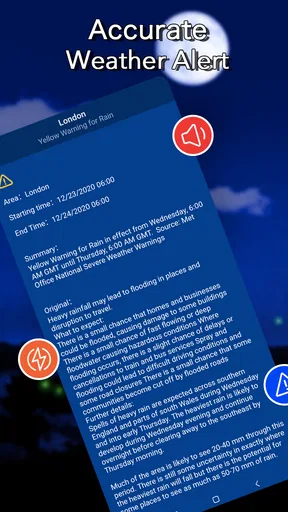
Alerts can be valuable when weather changes quickly, particularly if I might otherwise miss a developing problem while busy. I’d treat them as a useful prompt to check conditions, not as a substitute for paying attention to local guidance or the situation outdoors. For anyone who needs highly specialized warnings or a decision-grade weather tool for work, a dedicated service may be a better fit than a general local forecast app.
The app is free, with optional in-app purchases ranging from about one dollar to five dollars per item. I’d start with the free experience and decide whether any paid option is worth considering only after using the app for my normal routine. The current version is 1.9.2, and it works on Android 6.0 or later. It has been available since December 8, 2020, and has passed ten million installs, so it is not an obscure newcomer; that still does not remove the need to judge whether its local forecast works well for your area.
Getting to Know Your Weather Buddy
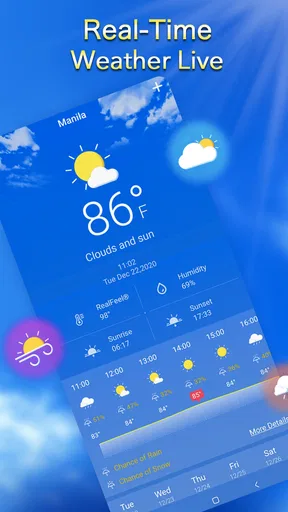
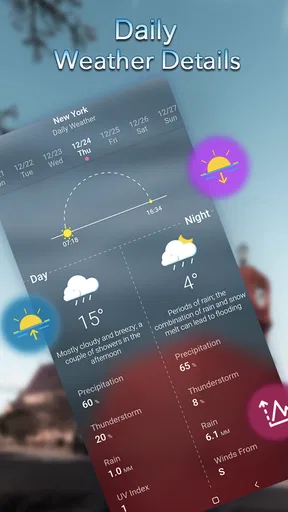
The first thing that strikes you when you open Local Weather: Weather Forecast is the clean and intuitive design. It’s like the app just knows what you need without overwhelming you with too much information. With just a couple of taps, you can access the current weather, hourly updates, and a 7-day forecast. It’s all laid out in a way that feels natural and easy to navigate.
Features That Shine
One of the standout features is the real-time radar. It's a lifesaver for those of us who like to see exactly what’s happening around us. The radar is interactive, allowing you to zoom in and out, giving you a clear picture of any incoming storms or clear skies.
And let’s not forget about the severe weather alerts. These notifications are crucial, especially if you live in an area prone to sudden weather changes. The app ensures you're always one step ahead, giving you time to prepare for any unexpected weather events.
A Deep Dive into the Details
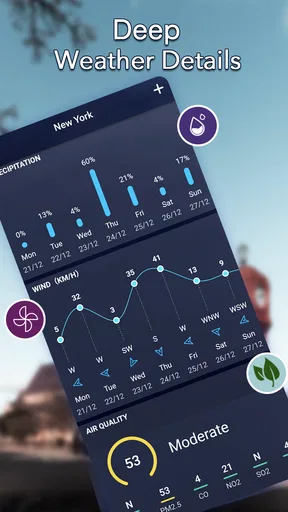
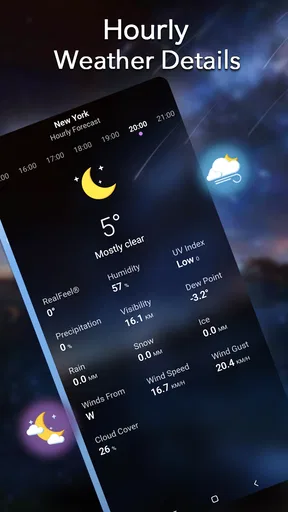
For those who love to geek out on weather details, the app offers a wealth of information from humidity levels to UV index. It’s like having a mini weather lab on your phone. The app even gives you sunrise and sunset times, which is a neat little touch if you’re planning on catching that golden hour.
Another feature I found quite handy is the wind speed and direction indicator. Whether you're planning a day at the beach or flying a kite in the park, knowing the wind conditions is incredibly useful.
Global Reach with Local Touch
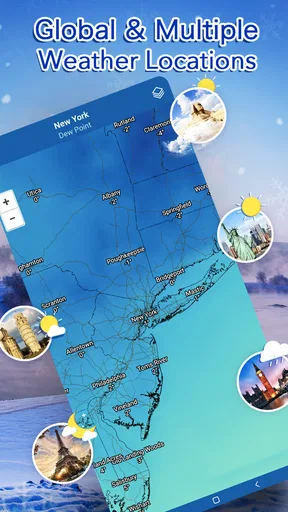
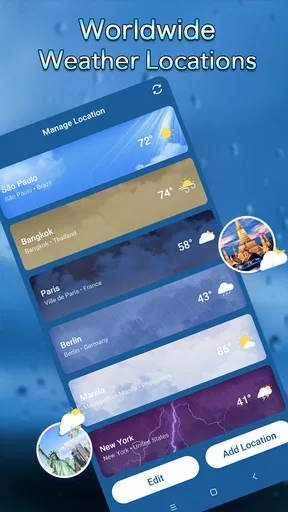
Perhaps what I love most about this app is its ability to give you localized weather forecasts. No matter where you are in the world, the app adjusts to provide accurate information specific to your area. This is particularly helpful for travelers who need to stay updated on weather conditions in different locations.
User Experience: Smooth Sailing
In terms of user experience, the app performs smoothly without any noticeable lags. It loads quickly, and updates are timely, which is crucial for a weather app. The developers clearly prioritized functionality and user-friendliness, making it a pleasure to use.
One thing I did notice, however, is that while the app is packed with features, it could benefit from a bit more customization options. Allowing users to tailor the information they see first would be a nice addition.
Final Thoughts
Overall, Local Weather: Weather Forecast is a solid choice for anyone looking to stay informed about the weather. It’s comprehensive and reliable, providing all the information you could need in a user-friendly package. Whether you’re planning your day or preparing for the week ahead, this app ensures you’re never left out in the rain without an umbrella.
If you’re in the market for a new weather app, I definitely recommend giving this one a try. You can easily download it from the app store and see for yourself how it can make navigating daily weather changes a breeze. Trust me, once you've tried it, you won't want to check the weather any other way.
Privacy and Permissions
See what permissions an app requests and how it handles your data.
- Location
- approximate location (network-based), precise location (GPS and network-based), access extra location provider commands
- Phone
- read phone status and identity
- Photos/Media/Files
- access USB storage filesystem, read the contents of your USB storage, modify or delete the contents of your USB storage
- Storage
- read the contents of your USB storage, modify or delete the contents of your USB storage
- Wi-Fi connection information
- view Wi-Fi connections
- Device ID & call information
- read phone status and identity
- Other
- view network connections, send sticky broadcast, connect and disconnect from Wi-Fi, full network access, run at startup, control vibration, prevent device from sleeping, Google Play license check, read Google service configuration
Verdict
Strengths of Local Weather:Weather Forecast
- Accurate local forecasts update frequently.
- User-friendly interface with clear visuals.
- Customizable alerts for severe weather.
- Detailed hourly and daily forecasts.
- Multiple location tracking options.
Limitations of Local Weather:Weather Forecast
- Ads can be intrusive at times.
- Requires internet for real-time updates.
- Limited features in free version.
- Some widgets lack customization.
- Occasional delays in forecast updates.
Similar Picks in This Category
View All
Weather - By Xiaomi
Xiaomi Inc.4.1

Weather & Radar Forecast
WetterOnline4.8

Weather
OneLouder Apps4.6

AccuWeather: Weather Radar
AccuWeather3.6

The Weather Channel - Radar
The Weather Channel4.6

1Weather Forecasts & Radar
OneLouder Apps4.3
Frequently Asked Questions
What features does the Local Weather: Weather Forecast app offer?
Local Weather: Weather Forecast provides real-time weather updates, detailed forecasts for the week, and severe weather alerts. The app includes radar maps, air quality indices, and UV levels. Users can customize notifications and view weather conditions for multiple locations, making it a comprehensive tool for planning daily activities.
How accurate is the weather data in the Local Weather app?
The Local Weather app sources its data from reliable meteorological providers to ensure high accuracy. It uses advanced algorithms and real-time updates to provide precise weather conditions and forecasts. However, like all weather apps, there might be slight variations due to rapidly changing weather patterns.
Is the Local Weather app free to use?
Yes, the Local Weather: Weather Forecast app offers a free version with essential features. However, there may be in-app purchases or subscriptions available that provide premium features like ad-free usage, extended forecasts, and additional customization options. Users can choose based on their needs and preferences.
Can I use the Local Weather app offline?
The Local Weather app requires an internet connection to provide real-time updates and forecasts. However, once data is fetched, it can be accessed offline for a short period. For the most accurate and up-to-date information, an internet connection is recommended whenever possible.
Does the Local Weather app have any accessibility features?
Yes, the Local Weather app is designed with accessibility in mind, offering features such as voice guidance, larger text options, and a user-friendly interface. These features ensure that users with different needs can efficiently access and interpret weather data. Regular updates enhance compatibility with various assistive technologies.
